
Ready to begin
No records have been processed. Start with Next step.
Start with d = {}. This declares an empty dictionary. Then d[7] = 76 creates a key 7 and stores 76. d[21] = 74 creates a second entry. Square brackets after the dictionary name contain a KEY. Curly braces display the dictionary itself.
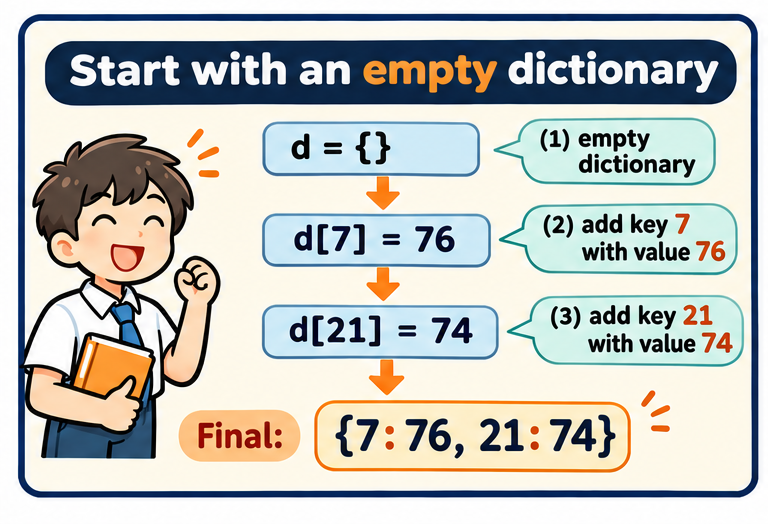
Follow the dictionary as its keys and values change. Predict each lookup or update before revealing the next step.
Ready
No records have been processed. Start with Next step.
Predict the next key, whether it already exists, and the value that will be stored.
d = {}
d[7] = 76
d[21] = 74
answer = d[21]     # 74

# Separate illustrative update, not a correction to the dataset:
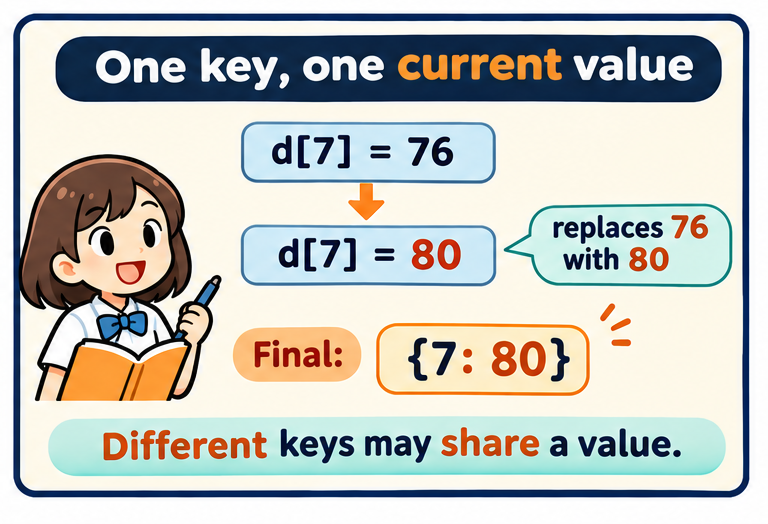
d[7] = 80         # replace the previous value for key 7
Assignment has two cases: a missing key creates an entry; a present key gets a replacement value. It does not keep two entries with the same key. To keep multiple values, deliberately store a list or another dictionary as the one value.
After d={} then d[7]=76 then d[7]=80, how many entries exist?
One entry: {7:80}.
What is wrong with trying d[7]=76 before creating d?
The variable has not been initialized as a dictionary. Initialize d={} first.
Does d[7]=80 add 80 to 76?
No. Assignment replaces 76 with 80. Addition would require d[7]=d[7]+80.