
Read < and ≤ carefully when marks or pages tie
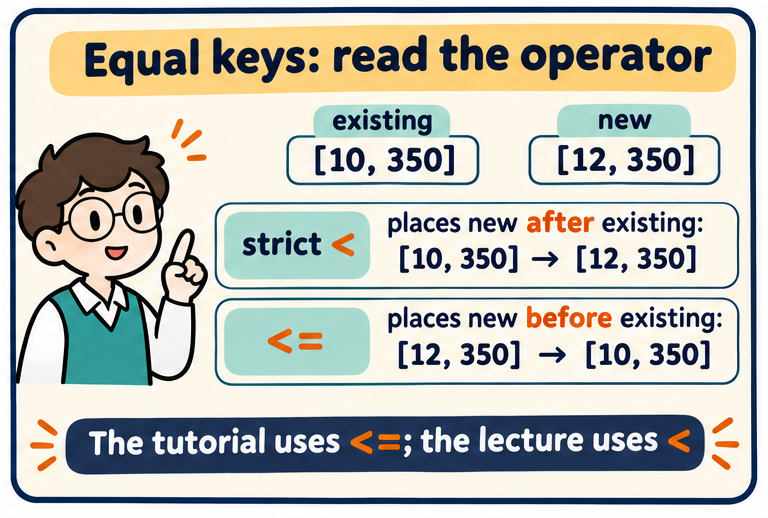
The lecture’s ascending insertion uses x < z. An incoming item with an equal key passes old equals and is inserted after them. If every insertion uses this rule, equal-key input records keep their original relative order: the sort is stable.
The library tutorial uses X.Pages <= last(Y). The new equal-page book is inserted before the first old equal. Repeated equal-key insertions can reverse their arrival order. The output is still sorted by pages, but stability differs. Do not change the operator while solving a question.
A tie policy is not automatically a grading policy. Stable sorting gives a deterministic equal-mark order, but a grade boundary can still split that tied run. Keep sorting order and grade fairness as separate decisions.
Try it yourself
Old [10,350], new [12,350]: where does the new book go under ≤?
Show explained answer
Before the old book: [12,350], then [10,350].
Try it yourself
Under strict <, where does the equal new key go?
Show explained answer
After the existing equal-key run.
Try it yourself
Does a stable sort guarantee equal marks get equal grades?
Show explained answer
No. A separate position-only grade assignment can still split tied marks.