
Timing Our Code
Start here We keep saying "this version is faster". How do we actually measure how long code takes? Python gives us a stopwatch in the
timelibrary. With it, we also learn a number we will use all through this course: Python does about 10⁷ (1 crore) simple operations per second.
How long does code take?
The same algorithm runs at different speeds in different languages and on different computers. So we measure it on our own machine.
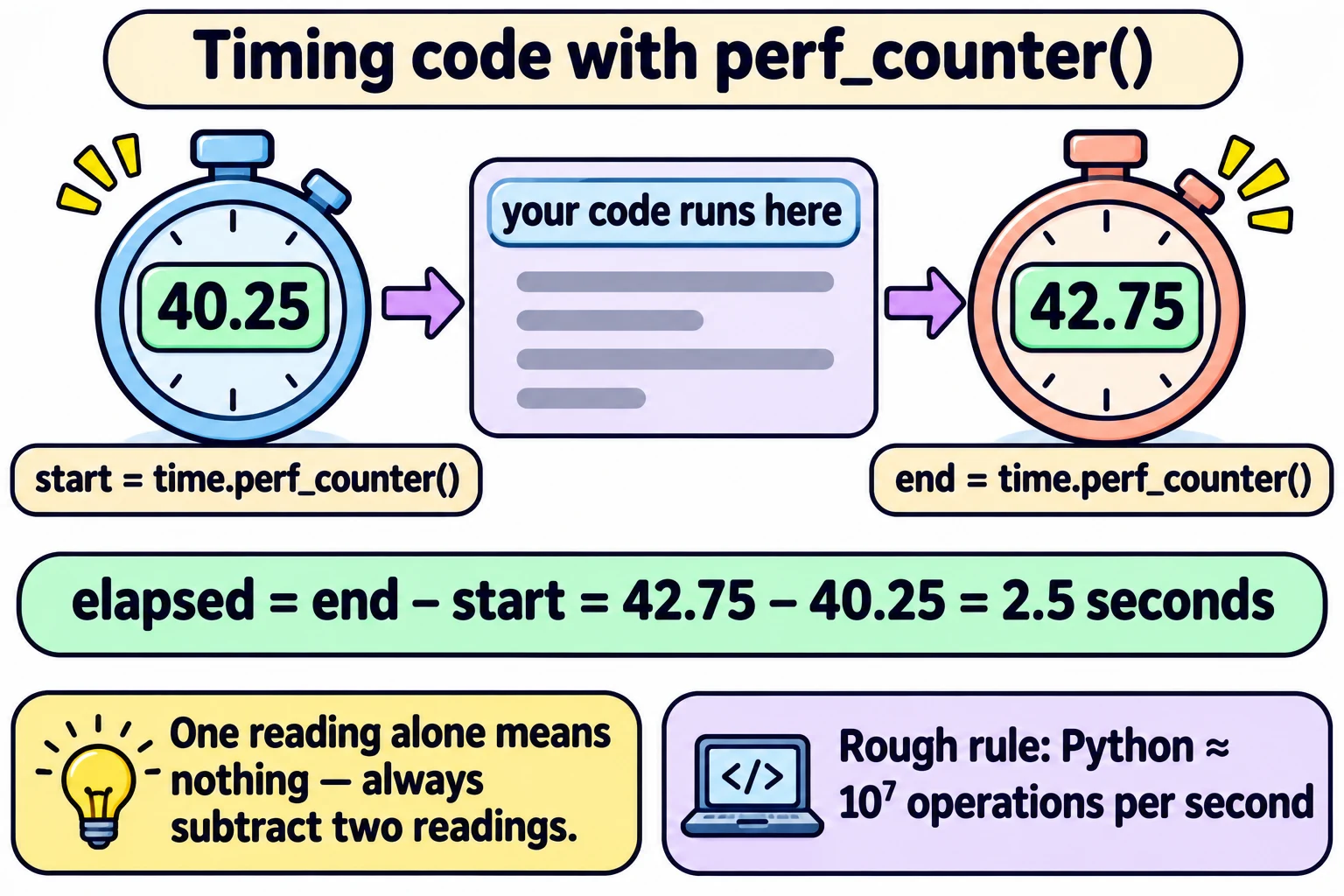
Python's time library has a function perf_counter() — a high-precision performance counter.
Three facts about it:
- One reading alone means nothing.
perf_counter()might return5038.21. That is not "the time of day" — it is a count from some unknown starting point. - Take two readings and subtract to get the time gap (interval).
- The unit is seconds (with decimals, so 0.002 = 2 milliseconds).
import time

start = time.perf_counter()
# ... the code you want to time ...
end = time.perf_counter()

elapsed = end - start            # time taken, in seconds
Everyday example: A stopwatch on a running track. The number on the watch when the race starts doesn't matter. What matters is finish reading − start reading.
A Timer class
Let us wrap the stopwatch in a class (using what we learnt in Classes and Objects).
import time

class Timer:
    def __init__(self):
        self._start_time = 0
        self._elapsed_time = 0

    def start(self):
        self._start_time = time.perf_counter()

    def stop(self):
        self._elapsed_time = time.perf_counter() - self._start_time

    def elapsed(self):
return self._elapsed_time| Part | Job |
|---|---|
_start_time | Remembers when we pressed start |
_elapsed_time | Remembers how long the last run took |
start() | Press start: save the current reading |
stop() | Press stop: current reading − start reading |
elapsed() | Tell us the result |
The _ at the start of a name (like _start_time) is a Python habit meaning "private — don't touch this from outside; use the methods". This is the public/private idea from the Classes page.
Using it:
t = Timer()
t.start()
for i in range(10000000):        # 10⁷ rounds of a simple loop
    pass
t.stop()
print(t.elapsed())               # roughly 0.2 to 1 second, depending on the computer
(The lecture says the actual course code has a "more sophisticated" timer — for example one that complains if you stop it before starting it. The idea is the same.)
The magic number: 10⁷ operations per second
From experiments like the one above, the lecture concludes:
Python can do about 10⁷ = 1,00,00,000 (one crore / ten million) basic operations per second.
This is a rough estimate, not an exact fact — it depends on the computer and on what the "operation" is. (When we tried a simple 10⁷-round loop, it took about 0.6 seconds — the same ballpark.) But it is good enough to answer questions like "will this finish in a second, or in a thousand years?" — which is exactly what the next page does.
| Number of operations | Rough time in Python |
|---|---|
| 10⁶ (10 lakh) | 0.1 second |
| 10⁷ (1 crore) | 1 second |
| 10⁸ (10 crore) | 10 seconds |
| 10⁹ (100 crore) | 100 seconds ≈ 1.7 minutes |
| 10¹² | 10⁵ seconds ≈ 28 hours |
In one line: Time code by subtracting two time.perf_counter() readings; use "Python ≈ 10⁷ operations per second" for quick estimates.
Exam words: time library, perf_counter(), interval, elapsed time, seconds, Timer class, 10⁷ operations per second.