
Searching in a List — Linear and Binary Search
Start here "Is the value v in the list l?" — this is one of the most common questions a program asks. If the list is jumbled, we must look at everything. If the list is sorted, we can play the "guess the middle" game from Week 1 and finish in just log n steps.
The search problem
Input: a value v and a list l of n items. Output: True if v is in l, otherwise False.
Method 1 — Naive (linear) search
Look at the items one by one.
def naivesearch(v, l):
    for x in l:
        if v == x:
            return True
    return False
Example: search for 55 in [74, 32, 89, 55, 21, 64].
| Step | x | v == x? |
|---|---|---|
| 1 | 74 | No |
| 2 | 32 | No |
| 3 | 89 | No |
| 4 | 55 | Yes → return True |
Now search for 50 in the same list: all 6 items are checked, none match → False.
| Case | When | Steps |
|---|---|---|
| Best | v is the first item | 1 |
| Worst | v is not in the list (or is the last item) | n |
Worst case: O(n). In an unsorted list there is no shortcut — any item we skip could be the one we want.
Method 2 — Binary search (list must be sorted)
If l is sorted in ascending order, we can do much better:
- Look at the middle item
l[m]. - If it equals v → found!
- If v is smaller → v can only be in the left half. Search there.
- If v is bigger → v can only be in the right half. Search there.
- If the part to search becomes empty → v is not there.
def binarysearch(v, l):
    if l == []:
        return False
    m = len(l) // 2
    if v == l[m]:
        return True
    if v < l[m]:
        return binarysearch(v, l[:m])      # left half (before the middle)
    else:
        return binarysearch(v, l[m+1:])    # right half (after the middle)
Notice: l[:m] and l[m+1:] both leave out the middle item — we have already checked it.
Worked example 1 — search for 22 (it is there)
l = [13, 22, 32, 43, 57, 63, 78, 91] (8 items, sorted).
| Call | List being searched | m = len//2 | l[m] | Decision |
|---|---|---|---|---|
| 1 | [13, 22, 32, 43, 57, 63, 78, 91] | 4 | 57 | 22 < 57 → go left: l[:4] |
| 2 | [13, 22, 32, 43] | 2 | 32 | 22 < 32 → go left: l[:2] |
| 3 | [13, 22] | 1 | 22 | 22 == 22 → True |
Found in 3 calls.
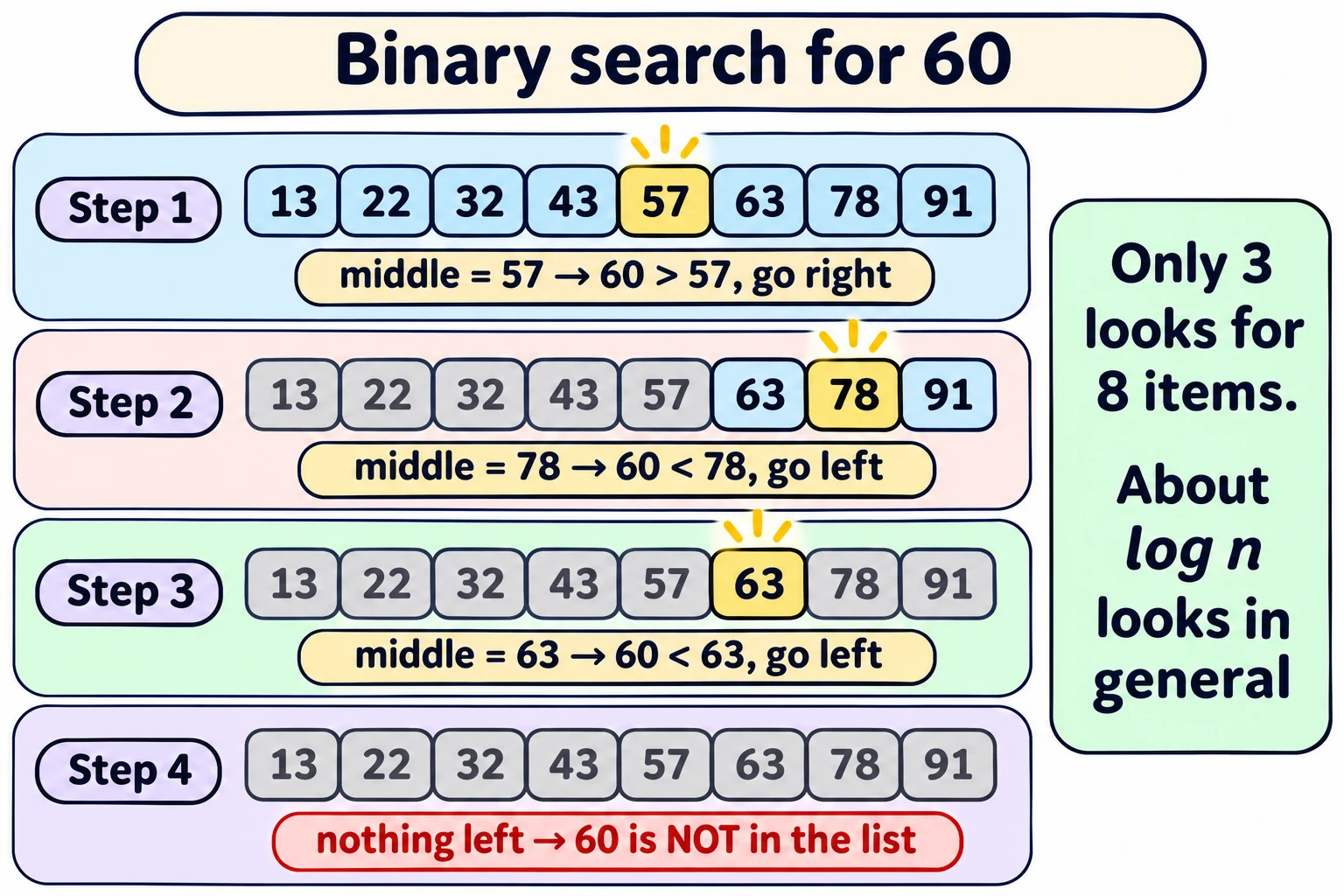
Worked example 2 — search for 60 (it is NOT there)
| Call | List being searched | m | l[m] | Decision |
|---|---|---|---|---|
| 1 | [13, 22, 32, 43, 57, 63, 78, 91] | 4 | 57 | 60 > 57 → go right: l[5:] |
| 2 | [63, 78, 91] | 1 | 78 | 60 < 78 → go left: l[:1] |
| 3 | [63] | 0 | 63 | 60 < 63 → go left: l[:0] = [] |
| 4 | [] | — | — | empty → False |
We proved 60 is absent by looking at only 3 values (57, 78, 63) out of 8!
How long does binary search take?
Each call halves the part we search. Starting with n items:
n → n/2 → n/4 → ... → 1 → 0 (empty)
The number of halvings to go from n down to 1 is log n. One more step (1 // 2 = 0) reaches the empty list.
Binary search: O(log n).
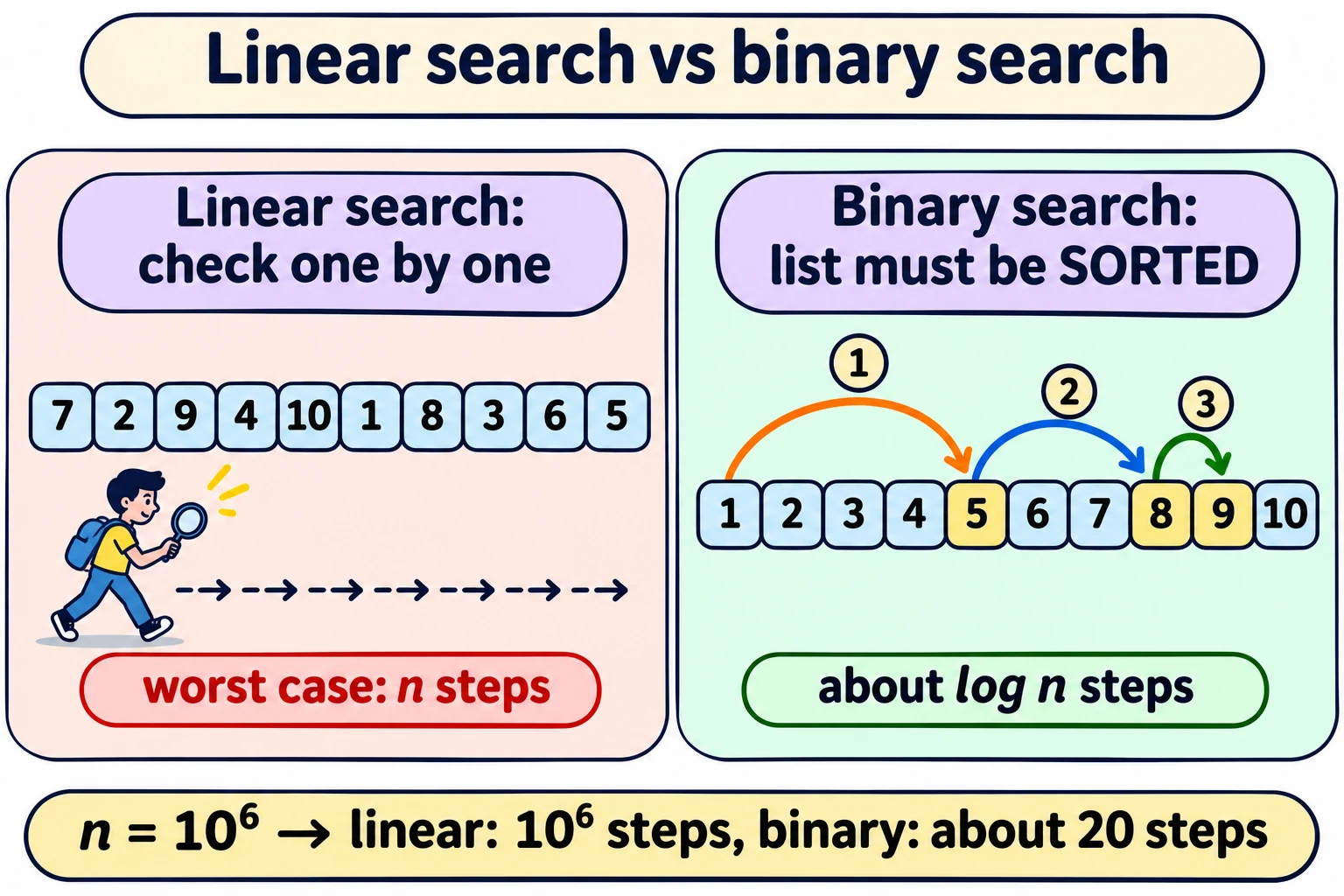
| n (sorted list size) | Linear search, worst case | Binary search, worst case (about) |
|---|---|---|
| 1,000 | 1,000 | 10 |
| 10,00,000 (10⁶) | 10,00,000 | 20 |
| 10⁹ | 10⁹ | 30 |
The same answer using a recurrence
Let T(n) = time to search a list of length n.
- If n = 0, we exit at once: T(0) = 1.
- If n > 0, we do one comparison and then search half: T(n) = T(n // 2) + 1.
Unwind:
T(n) = T(n // 2) + 1
     = T(n // 4) + 1 + 1        = T(n // 2²) + 2
     = ...
     = T(n // 2ᵏ) + k
When k = log n, n // 2ᵏ = 1:
T(n) = T(1) + log n
     = (T(0) + 1) + log n
     = 2 + log n
So T(n) is O(log n). ✔
Check with numbers: for n = 8: T(8) = T(4) + 1 = T(2) + 2 = T(1) + 3 = T(0) + 4 = 5. And 2 + log₂ 8 = 2 + 3 = 5 ✔
Careful — a hidden cost in this code (not in the slides). In Python, the slice
l[:m]makes a copy of half the list. Copying k items takes about k steps. So this slicing version actually does n/2 + n/4 + ... ≈ n steps of copying — O(n) in total, not O(log n)! The O(log n) count is right for the number of comparisons. To get true O(log n) time, keep two positionsloandhiinstead of slicing: ``python def bsearch(v, l): lo, hi = 0, len(l) - 1 while lo <= hi: m = (lo + hi) // 2 if l[m] == v: return True if v < l[m]: hi = m - 1 else: lo = m + 1 return False``
Why sorting is worth it
| Unsorted list | Sorted list | |
|---|---|---|
| Search method | Linear search | Binary search |
| Worst case | O(n) | O(log n) |
| To prove v is absent | Look at all n items | Look at only about log n items |
This is exactly the SIM–Aadhaar idea from Week 1. Sorting costs time once — and then every search becomes super fast. So next we learn how to sort.
In one line: Unsorted → linear search, O(n); sorted → binary search (check the middle, keep one half), O(log n).
Exam words: linear (naive) search, binary search, sorted, midpoint, len(l)//2, l[:m], l[m+1:], T(n) = T(n//2) + 1, O(log n), worst case = value absent.
Quick check
1. Why can't we use binary search on an unsorted list?
Because when v < middle, we can't be sure v isn't on the right side — the order gives no information.2. Search for 91 in [13, 22, 32, 43, 57, 63, 78, 91]. Which middle values are checked?
57 (go right → [63, 78, 91]), then 78 (go right → [91]), then 91 → found. Checked: 57, 78, 91.3. About how many comparisons does binary search need in the worst case for 10⁶ sorted items?
log₂ 10⁶ ≈ 20.4. What is T(16) using T(0) = 1, T(n) = T(n//2) + 1?
T(16) = T(8)+1 = T(4)+2 = T(2)+3 = T(1)+4 = T(0)+5 = 6 (= 2 + log₂ 16).5. What is the worst case for linear search?
The value is not in the list (or is the last item) — all n items are checked.Binary Search playground
Move one step at a time. The visual state and explanation update together.
Check the middle value 15.
Why? The target can only be in one half of a sorted list.