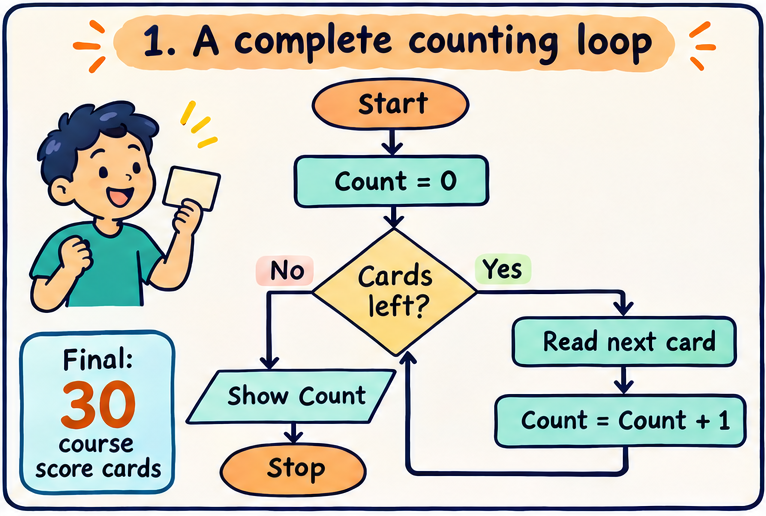
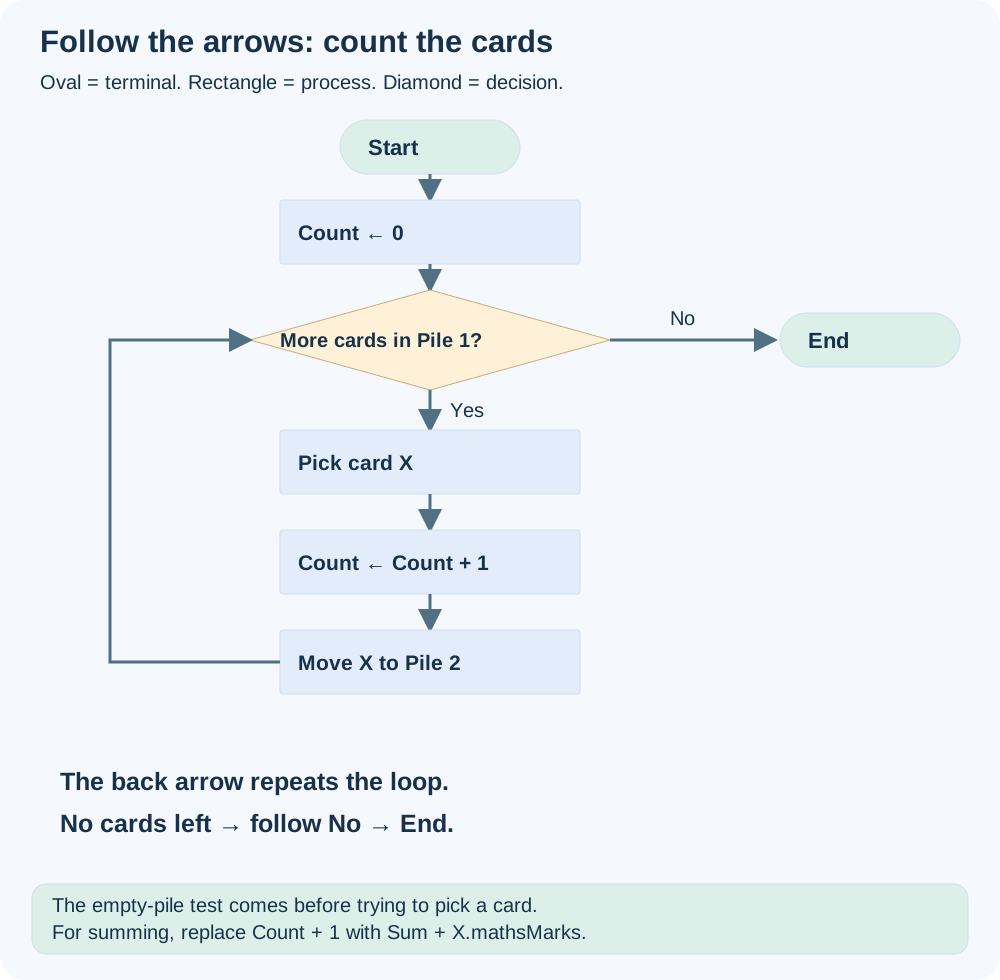
Start, set Count to zero, then test whether Pile 1 has a card. Follow Yes to pick a card, increase Count and move the card to Pile 2. Follow the back arrow to test again. Follow No to End. The final Count is the answer.
The essential rule is that a completed visit updates the intended state and removes or marks that card before the next visit. In the lecture’s count diagram, moving the card comes before incrementing; our diagram increments then moves. Both give the same count when both actions complete once per card.
Replace Count ← 0 with Sum ← 0. Replace Count ← Count + 1 with Sum ← Sum + X.mathsMarks. The loop test and the card movement stay the same. This is pattern reuse: change the work done per record, not the entire structure.
For no cards, the first decision is No, and Count stays 0. For one card, there is one Yes traversal, one increment and one move; the next test is No. These tiny examples are an effective way to detect an incorrect loop.
Try it yourself
Which shape should contain “X.mathsMarks > 50?”
Show explained answer
A decision diamond. The comparison produces True or False and chooses a path.
Try it yourself
Which shape should contain “Sum ← Sum + 50”?
Show explained answer
A process rectangle, because it changes a stored value.
Try it yourself
Why test for more cards before picking one?
Show explained answer
The original pile can be empty, including before the first visit. You cannot pick a card that is not there.
Try it yourself
If the return arrow goes to Count ← 0, what is wrong?
Show explained answer
It reinitializes the counter every time and erases progress. The return arrow should go to the card-availability test, after initialization.
Source: Lecture 1.4 — Introduction to flowcharts. Small teaching datasets and diagrams are prepared for these notes; lecture and tutorial totals are identified explicitly.